The simple, professional way to document construction projects.

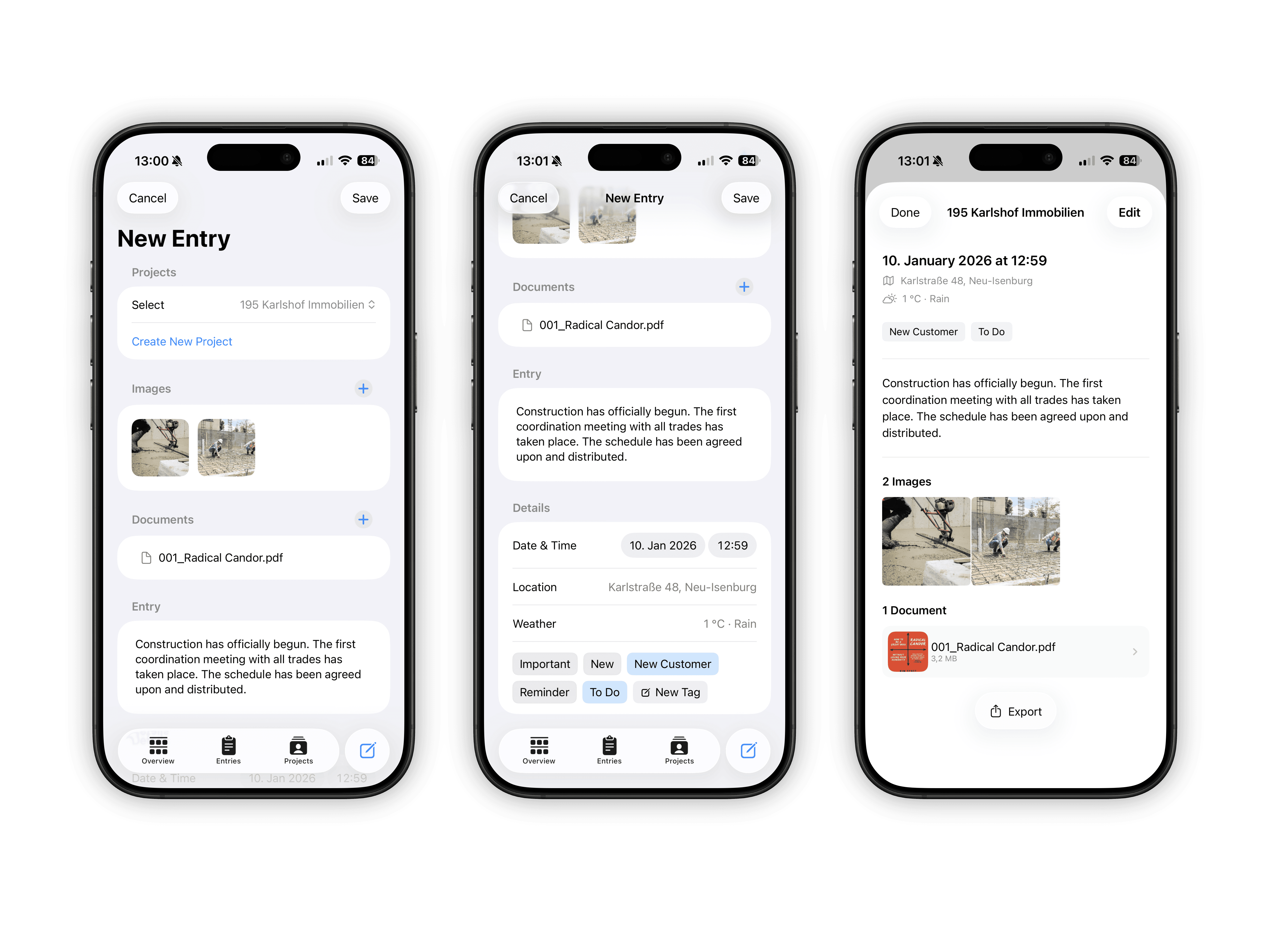
Structured entries

Create daily or project based entries with text, date, time, location, and weather.

Photos and documents

Attach images, PDFs, and files directly to entries. Everything stays together.

Multiple projects

Manage any number of construction projects in parallel, clearly separated and easy to edit.

Tags and filters

Mark entries as important, to-do, or appointment and find information instantly.

iCloud Support

Use the app completely offline or sync your data securely via iCloud.

Export and archiving

Export entries as PDF for documentation, handover, or long term archiving.

Fast on site

Fast on site

Fast on site

Create entries in seconds

Create entries in seconds

Create entries in seconds

Location, time, and current weather are captured automatically so you can focus on the actual work.

Location, time, and current weather are captured automatically so you can focus on the actual work.

Location, time, and current weather are captured automatically so you can focus on the actual work.

Project intelligence

Project intelligence

Project intelligence

More than just notes

More than just notes

More than just notes

Entries, photos, documents, people, and locations are all connected and stay meaningful over time.

Entries, photos, documents, people, and locations are all connected and stay meaningful over time.

Entries, photos, documents, people, and locations are all connected and stay meaningful over time.

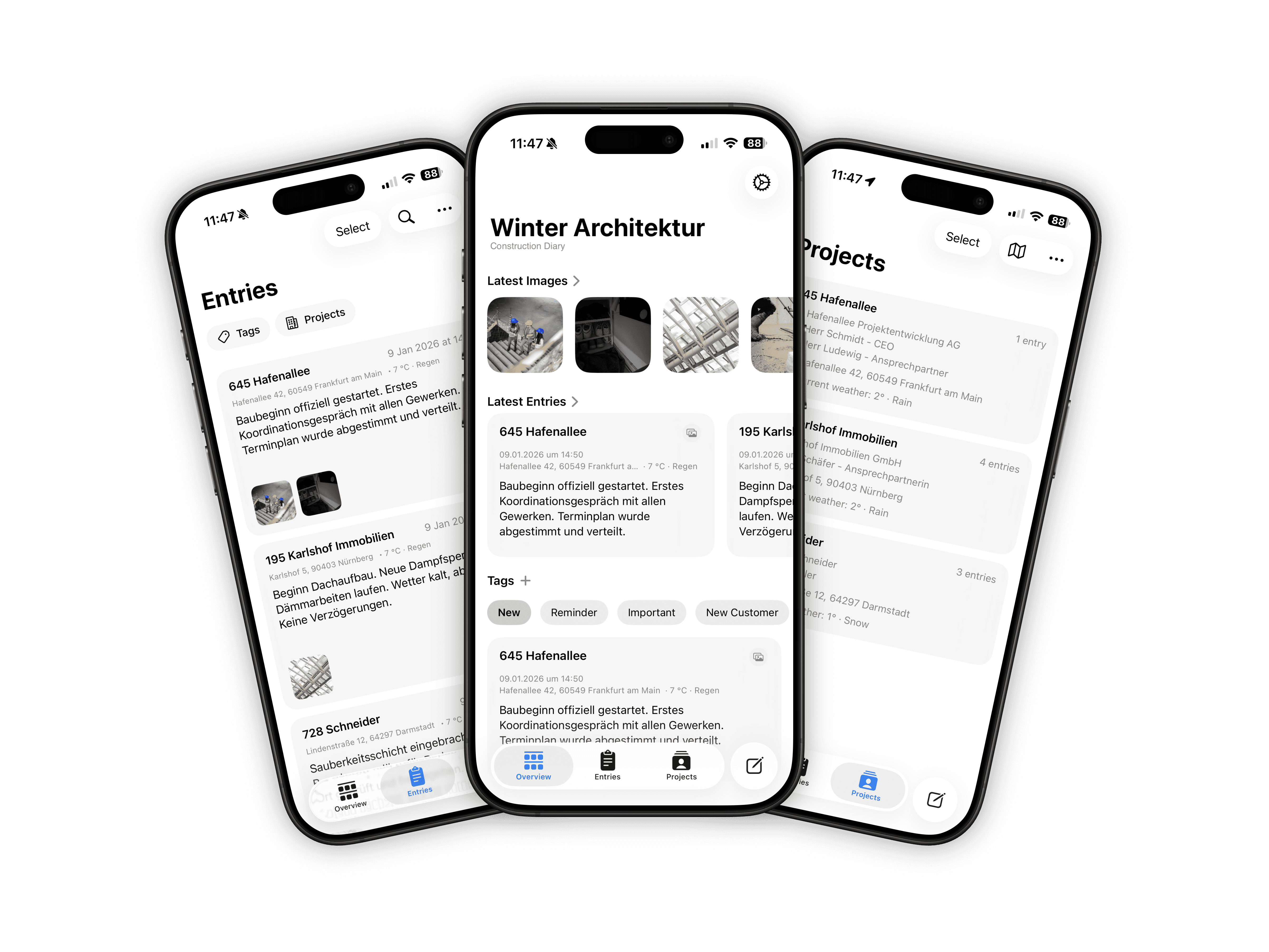
Live site overview

Live site overview

Live site overview

Know what’s happening where

Know what’s happening where

Know what’s happening where

See current weather and access directions to each construction site instantly.

See current weather and access directions to each construction site instantly.

See current weather and access directions to each construction site instantly.

Visual archive

Visual archive

Visual archive

All images, perfectly organized

All images, perfectly organized

All images, perfectly organized

Browse and export photos grouped by project without digging through folders.

Browse and export photos grouped by project without digging through folders.

Browse and export photos grouped by project without digging through folders.

Professional exports

Professional exports

Professional exports

Exactly what you need, nothing more

Exactly what you need, nothing more

Exactly what you need, nothing more

Fully configurable PDF exports for documentation, handover, or long-term records.

Fully configurable PDF exports for documentation, handover, or long-term records.

Fully configurable PDF exports for documentation, handover, or long-term records.

Designed for teams

Designed for teams

Designed for teams

Clear structure, shared understanding

Clear structure, shared understanding

Clear structure, shared understanding

Projects, stakeholders, and responsibilities stay transparent even as complexity grows.

Projects, stakeholders, and responsibilities stay transparent even as complexity grows.

Projects, stakeholders, and responsibilities stay transparent even as complexity grows.

Start for free.
Unlock when you need it.

Start for free.
Unlock when you need it.

0€

/month

Get started with the core features and see if the app fits your workflow.

Up to 2 construction projects

5 entries per project

Full editing and viewing

All app features unlocked

iCloud data storage

Ad-free experience

2,99€

/month

9,99€

/year

Unlimited projects and entries, with all current and future features included.

Everything from free

Unlimited construction projects

Unlimited entries per project

39,99€

/once

Pay once and keep everything forever. No subscriptions, no renewals.

Everything from free

Unlimited construction projects

Unlimited entries per project

All future updates included

No recurring costs

Common Questions

Common Questions

Is my data uploaded anywhere?

No. By default, all data is stored locally on the device.

Is my data uploaded anywhere?

No. By default, all data is stored locally on the device.

Is my data uploaded anywhere?

No. By default, all data is stored locally on the device.

Can I use iCloud?

Yes. iCloud sync can be enabled optionally to use the app across devices.

Can I use iCloud?

Yes. iCloud sync can be enabled optionally to use the app across devices.

Can I use iCloud?

Yes. iCloud sync can be enabled optionally to use the app across devices.

Does the app work offline?

Yes. All core features are available without an internet connection.

Does the app work offline?

Yes. All core features are available without an internet connection.

Does the app work offline?

Yes. All core features are available without an internet connection.

Can I export data?

Yes. Entries can be exported as PDF files.

Can I export data?

Yes. Entries can be exported as PDF files.

Can I export data?

Yes. Entries can be exported as PDF files.

Is the app GDPR compliant?

Yes. No user data is collected or shared with third parties.

Is the app GDPR compliant?

Yes. No user data is collected or shared with third parties.

Is the app GDPR compliant?

Yes. No user data is collected or shared with third parties.

Get in Touch